Get your draw out the door in minutes.
Pay applications, lien waivers, retainage, and compliance in one shared record between GCs and their subs. Your subs bill you from a link, free.
No account for your subs. Works with QuickBooks. Set up in an afternoon.
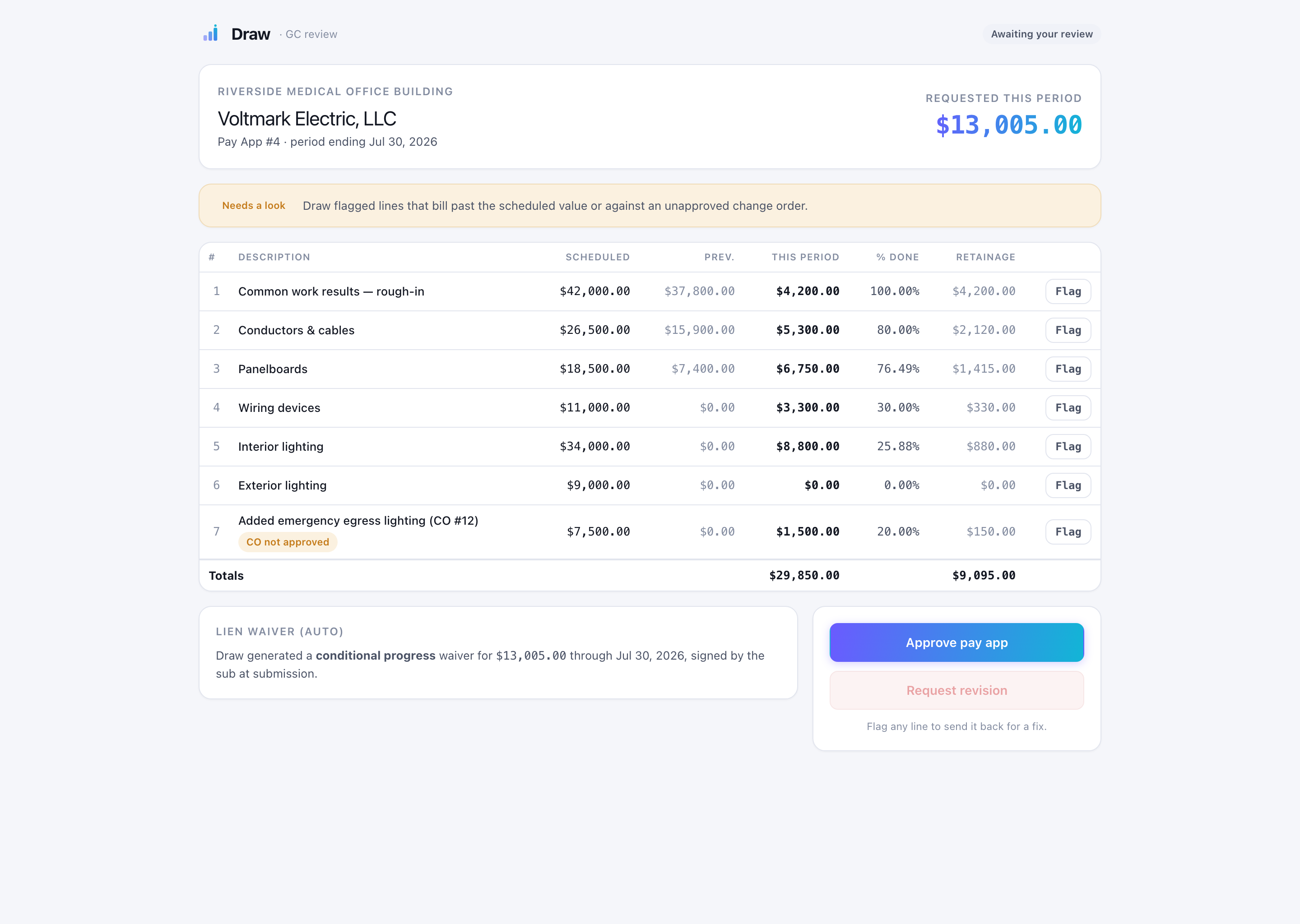
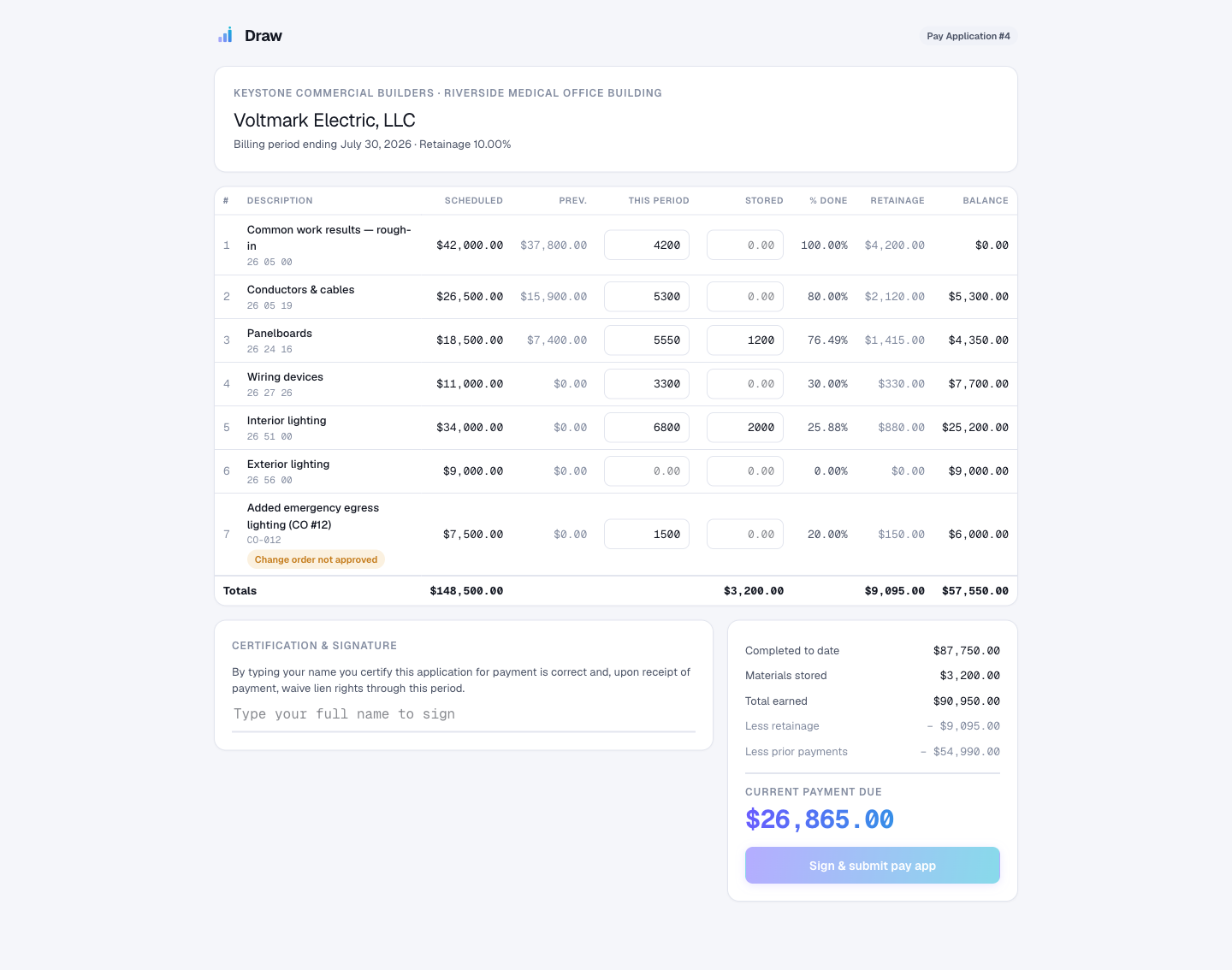
The whole draw, on one screen.
The GC reviews, the sub bills, and both work from the same record. No re-keying across the fence.
EVERYTHING IN ONE PLACE
One record instead of six tools.
Pay apps in Excel, waivers over email, COIs in a folder, retainage in your head. Draw puts the whole money side of the job in one place.
PAY APPS
AIA pay applications
G702 and G703 generated from the schedule of values, formatted to each GC.
WAIVERS
Lien waivers
Conditional and unconditional, signed by the sub at submission.
RETAINAGE
Retainage tracking
Calculated per line, held and released without the spreadsheet.
COMPLIANCE
COI and W-9 tracking
Collected up front. Expired docs hold payment automatically.
CHANGE ORDERS
Change order control
Billing gets flagged when it runs ahead of an approved change order.
EXPORT
QuickBooks export
Clean, coded data out in one click. No re-entry.
THE BILLING LIFECYCLE
Built on how commercial billing actually works.
From the schedule of values to the signed lien waiver, every step of the draw is tracked, in the order the work actually happens.
See the live demoHOW DRAW COMPARES
Every other tool picks a side of the fence.
Built for the GC or the sub, never both. That is why billing still gets re-keyed and argued over. Draw is the one record you and your subs share.
| Spreadsheets | Procore | GCPay / Textura | Siteline | Draw | |
|---|---|---|---|---|---|
| Built for both GC and sub billing | |||||
| Subs bill free, no login or fees | |||||
| Auto lien waivers and retainage | |||||
| Compliance docs tracked (COI, W-9) | |||||
| Works with your QuickBooks | |||||
| Flat public price, no transaction cut | |||||
| Set up in an afternoon |
Based on published pricing, product docs, and public customer reviews (2025 to 2026).
SIMPLE, HONEST PRICING
Flat monthly. Subs always free.
No per-seat fees. No cut of your payments. No call-sales games.
SUBCONTRACTORS
Always. Unlimited subs bill you at no cost. That is how everyone gets on board.
EVERYTHING INCLUDES:
QUESTIONS
The honest answers.
Do my subcontractors need an account?
No. Subs bill you through a secure link, with nothing to install and no password.
Does it work with my accounting system?
Draw exports clean, coded data to QuickBooks and CSV. More integrations are on the way.
Do you take a cut of my payments?
Never. Draw is flat monthly software. We do not touch or hold your money.
Who is Draw built for?
Commercial GCs and their subs who bill with AIA pay applications, lien waivers, and retainage.
GET STARTED
Put your next pay app through Draw.
We are onboarding a handful of commercial contractors now. I will set up your first job with you personally.